Add a widget — the process
← the widget seriesThe five taps between installing Acts and having it keep watch from the home screen. This is the funnel's widget step (+50), shown the way iOS actually does it.
9:41
🕯️📖🎵🌤️✉️🗺️📷☎️
1Touch & hold
Long-press any empty space on the home screen.
9:41
🕯️–📖–🎵–🌤️–✉️–🗺️–📷–☎️–
2Tap the +
The icons jiggle; a + appears in the corner.
9:41
🔍 Acts
Acts — the daily door
The daily moment11:47until the noon prayer🙏 Pray · +10
3Find Acts
The widget gallery opens — search for Acts.
9:41
The daily moment11:47until the noon prayer🙏 Pray · +10
+ Add Widget4Add Widget
One tap places it.
The daily moment11:47until the noon prayer🙏 Pray · +10
Acts
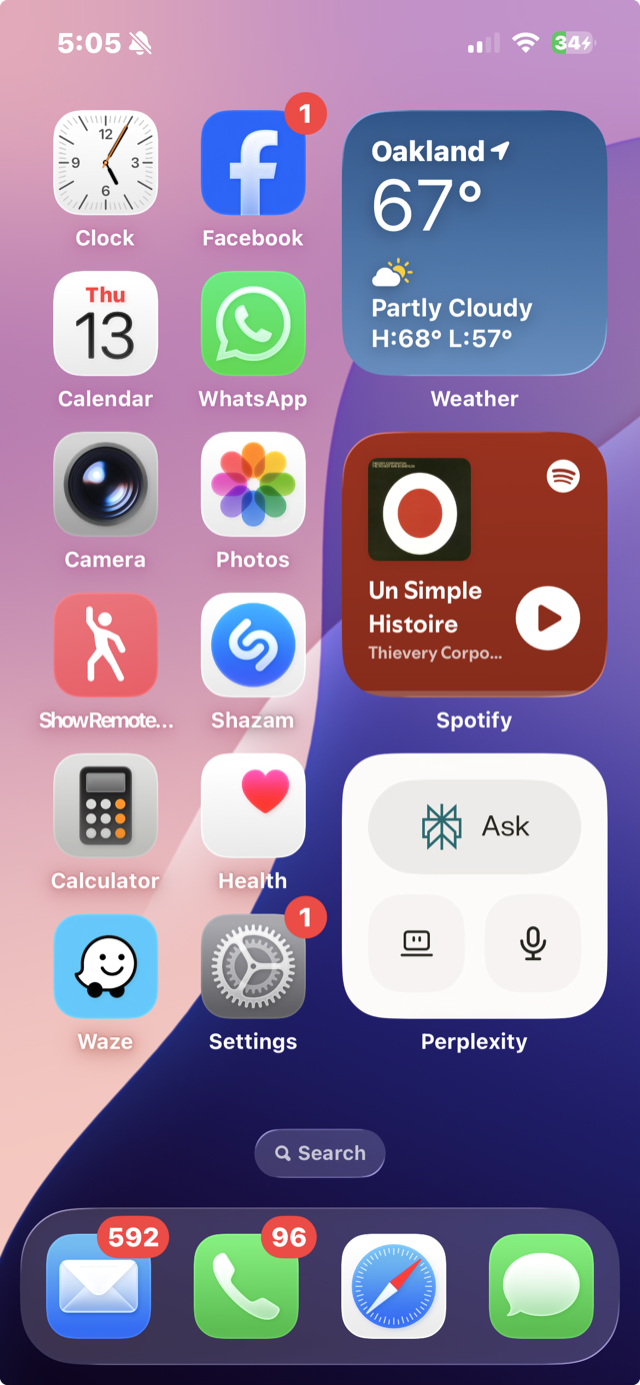
5It keeps watch
On a real home screen — the candle takes the widget slot (here, where Perplexity used to be). Claiming it pays the +50 widget milestone.
The metaphor: a widget is a vigil candle on the home screen — always lit, glanceable, one tap from an act. The feed asks you to come in; the widget waits with you where you already are. That's why the funnel pays +50 for placing it: it is the retention moment.